weblog

July 13, 2011

Wordnik’s New Word Page: Related Words

You probably noticed that last month we launched a redesigned word page, and that our new pages include an expanded Related Words section.

What do we mean by “related words”?  Synonyms, hypernyms, hyponyms, words used in the same context, a reverse dictionary, and tags. But what does all of that mean?

Here’s the top of the word page for tree:

Click on Relate and you’ll be taken here:

First up are synonyms, or words with the same or similar meaning, for instance, timber and sapling.

You’ll also find hypernyms, otherwise known as superordinates, or words that are more generic or abstract than the given word.  The prefix hyper- means “over, beyond, overmuch, above measure,” so you can think of a hypernym as a sort of umbrella over more specific words.  A hypernym for tree might be flora.

Hyponyms, or subordinates, are words that are more specific than the given word (the prefix hypo- means “under, beneath”).  Simal, coralwood, kingwood, and willow are specific types of trees (hey, that would make a great list!).  Same context refers to words that might be used in a similar context, such as wood, grass, garden, and branch. (One could argue that branch is also a meronym, or “a term that names part of a larger whole,” for tree.) We use the great resource WordNet for much of our hyponym and hypernym data.

The Reverse Dictionary section lists words that contain the given word in their definition. Tags are anything you might want to tag the given word and Tagging lists words that have been tagged with the given word.

We’d love your feedback as you explore our new Related Words section!

Comments (5)

May 9, 2011

Wordnik Mobile

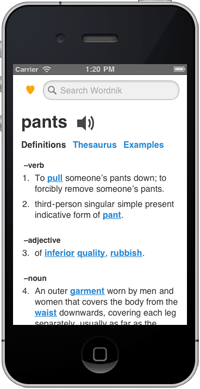
When you visit Wordnik.com on a smartphone you now get a mobile-optimized version of the site, featuring definitions, examples, related words, and, new in this version, audio. The mobile site, http://m.wordnik.com, delivers the most commonly-sought information on Wordnik.com in a mobile-optimized design that’s easier and faster to use (and which iPhone users can easily add to their home screen). If you want more in-depth information you can click through to the full-sized (immobile?) site, and if you want to always get the larger site, you can opt out of the mobile version altogether.

Mobile traffic to Wordnik is growing—over twenty percent of visitors are using tablets or smartphones—and we strive to be the best source of language information, however and wherever you need it. Please let us know what we can do to keep making the mobile experience better.

Comments (2)

March 31, 2010

Word frequency charts

awesome!

This spring, our word statistics pages have quietly improved. We’re now indicating the frequency of a word and how it has changed over the last 200 years. Our new graphs show word occurrences for each year in counts per-million-words-of-text, which — for most words — will be in the low handful.

It’s neat to look at how some words have appeared over time (Internet, a fad which will never catch on) or disappeared (e.g. hansom a two-wheeled horse-drawn carriage). Also neat to see are words that have changed their sense — icon has a new meaning in the late 21st century, and this remarkably changes its frequency (from 1-3 per million up to 10+ in the last fifteen years). (We note that not all statistics are entirely safe for work.)

Since our corpus varies in its density (we have far more text available for the last twenty years than we do in the 150 before that), our frequency representations are shown with confidence intervals, indicating a 95% confidence interval* on a given year. (Sometimes that gives us unusually spiky plots, because the sparse years offer relatively little information.)

In future releases, we’d like to compare two words on the same plot (compare apple to Apple) or explore other aspects of the words’ appearance.

What would you like to see?

* Our confidence intervals use the Agresti-Coull approximation, which is probably too generous in its upper-bound, especially for rare words. We’d like to fix that to include Bayesian priors on word frequencies in a future release.

See also previous post on word-frequency visualization.

Comments (23)

February 8, 2010

Serendipi-tag

“It used to be my little secret, my secret that is until I found out that many of the writers I know practice the same habit. We love to read the dictionary. Many times I have pulled out the dictionary to look up the spelling of a particular word and then another word on the page catches my eye. Twenty minutes later I am still engrossed in the dictionary, browsing through the less familiar definitions.” —Creating Copy by William Ackerly

vacuum tube schematicIt’s true for more than just advertising copywriters: people love the serendipity of a dictionary. They like to get lost for a while, to be distracted, to learn something new.

We like to do that, too, so we’ve made many ways to explore Wordnik.

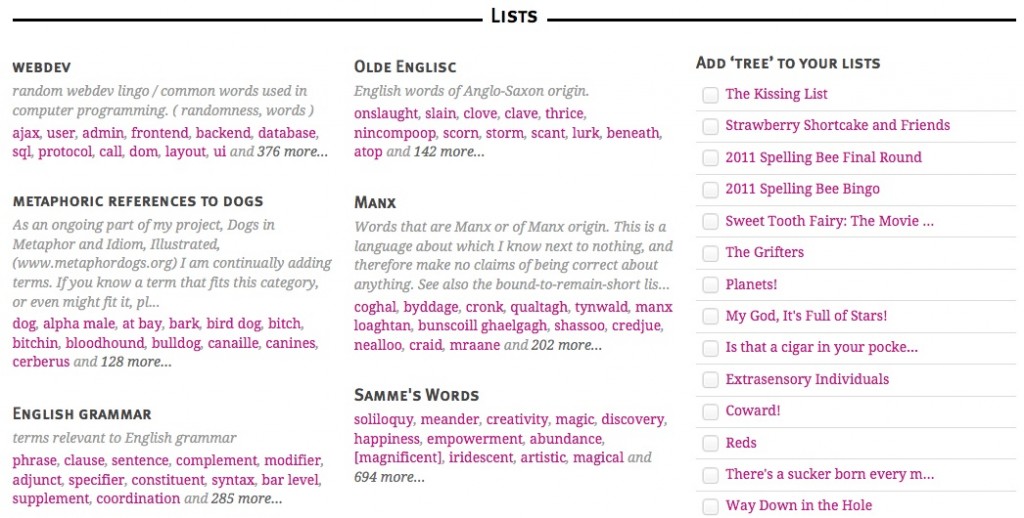
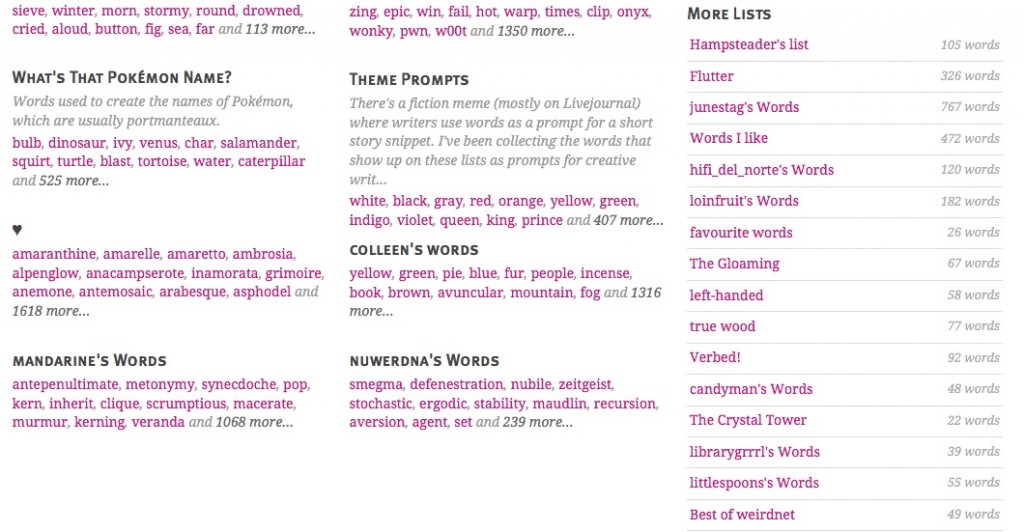
For example, you can explore another user’s lists. You can look at the related items for a word. You can check out zeitgeist and see what other words people are visiting right now.

But for my money, tags are the feature that offers the most subtle pathways to the unexpected. You can find tags on the right-hand side of a word’s main page.

There’s nothing particularly Linnaean about tags. They’re not meant to be universal. No governing body is going to insist on a hierarchy, a structure, or a form. Unlike Wordnik lists, which can have a mission statement (such as “words I found while reading Great Expectations by Charles Dickens“), tags’ intentions are usually silent.

Tags are personal. They are a way of classifying a word in a way that suits you. Beyond “don’t be a knucklehead,” there aren’t really any rules. You can use short tags, long tags, tags in other languages. You can tag a lot or a little. You can let that basic human need to sort and organize take over. Tag like a maniac in any way that is useful to you or the world.

In lieu of rules, I offer two tag guidelines that have been helpful to me:

1. Make your tags true as far as you know.
2. Make your tags memorable to you.

That way, you’ll have left clues for yourself (if you forget the word) and for other serendipiters who come across the same word. (See, I used a new word there and then tagged it with “neologism.”)

Tags are so personal that often the only obvious intention behind a tag is to demonstrate a connection between two words. For example, if someone tags the word basilect with language, then there’s a pretty good chance that basilect has something to do with language. That’s about as much as we can glean.

However, if someone tags the word language with cvccvvcv, most people are going to be mystified. It doesn’t even look like a word! But there was indeed a connection there for somebody, and, it turns out, the tags are useful if you need to know something about the orthography of a set of words. (Hint: each “c” stands for “consonant” and each “v” stands for “vowel.” Full explanation here.)

Remember that a word can both be tagged and can be a tag itself. At the top of every word’s tag page you’ll see “words tagged” with the word you’re looking at and at the bottom you’ll see “the word has been tagged.” Check out the tag page for neologism to see what I mean.

If you want a bit of guided serendipity, you can browse the tags made by any user who has a public profile. Here are some of mine.

If you’re looking for a little more about tagging from an insider’s point of view, I recommend the book Tagging: People-powered Metadata for the Social Web.

Happy tagging!

Photo by Paula Rey. Used under a Creative Commons license.

Comments (3)

September 1, 2008

Private Notes on Words

A new feature launched this weekend: private notes on words. On any word page, where it says “Leave a comment, citation, or private note”, click on “private note” to leave a postit-style note for yourself.

This is kind of like writing in the margins of a book–if there’s something you’d like to remember about a word, or you want to leave yourself pronunciation tips or study notes or a comment-in-progress or whatever, and it doesn’t seem appropriate to make it public, write yourself a note.

I’m hoping students in particular find this useful, and also people using Wordie to create glossaries or dictionaries. I’ve corresponded with a few folks who have expressed an interest in such a use, and the combination of tags, private notes, and comments seems like a good emerging toolkit. One could use tags to aggregate the words in question (there are already a bunch of good de facto glossaries on Wordie as a result of tagging, like demon, archery and beer), then private notes while collecting definitions or usage notes, with the final result ending up as a citation in the comments.

Or, use it however you want. Any suggestions for improvements or additions are, as always, welcome.

Comments (1)

July 15, 2008

Most Active Threads

Not that I don’t love lists like this, but we’ve all long wanted more ways to sort through and view the river of comments on the front page. So I just added a page listing the most active threads of the past 24 hours, as dreamed up by Prolagus a few weeks ago.

They’re listed in order of the number of comments on the item (words, lists, and profiles), and show excerpts of the three most recent comments.

This needs some work–I’d like to add different ways to sort, make it look nicer, and include comments on tags, which I forgot. But better half baked than nothing, and this way you guys can tell me where it should go.

Though before I revisit this, I’ll add a most commented on list to the front page, which is a fantastic idea (thanks pterodactyl!).

I just added this same post on comments, in case people would rather discuss refinements to this in situ.

Comments (3)

March 11, 2008

Tag All Words in a List

Per the request of Skipvia and others, you can now tag all words in a list in one fell swoop. Click on the ‘add tags’ link on any list page, on the left below the list name.

This tags every word in the list, not the list itself.

If you want to tag every word in a list except for a few, you can bulk-tag the list, then go in to the individual words and remove the tag where not appropriate. So you can tag 498 of the words in a 500 word list in 3 steps, rather than 498.

This is the heart of Wordie: helping you waste time more efficiently.

Comments (0)

Older Posts »
 

News: Google+’s Horowitz Talks About Joining Board of Wordnik, as Online Dictionary Site Garners $8M More in Funding (video)

News: Wordnik Launches First of Its Kind Word Graph

Read about us in Semantic Web!

We’re Hiring!
Head of Business Development

Subscribe to the blog feed

Follow Wordnik on Twitter

Become a fan on Facebook

See the word of the day

  • Recent Posts
  • Wordnik Word of the Day

  • Earlier Posts
  • Post Categories
  • Wordnik Search
    Get a random word